
Download Zoho Docs – Online Productivity Suite, Free Cloud Office, Secure Document Collaboration
Overview
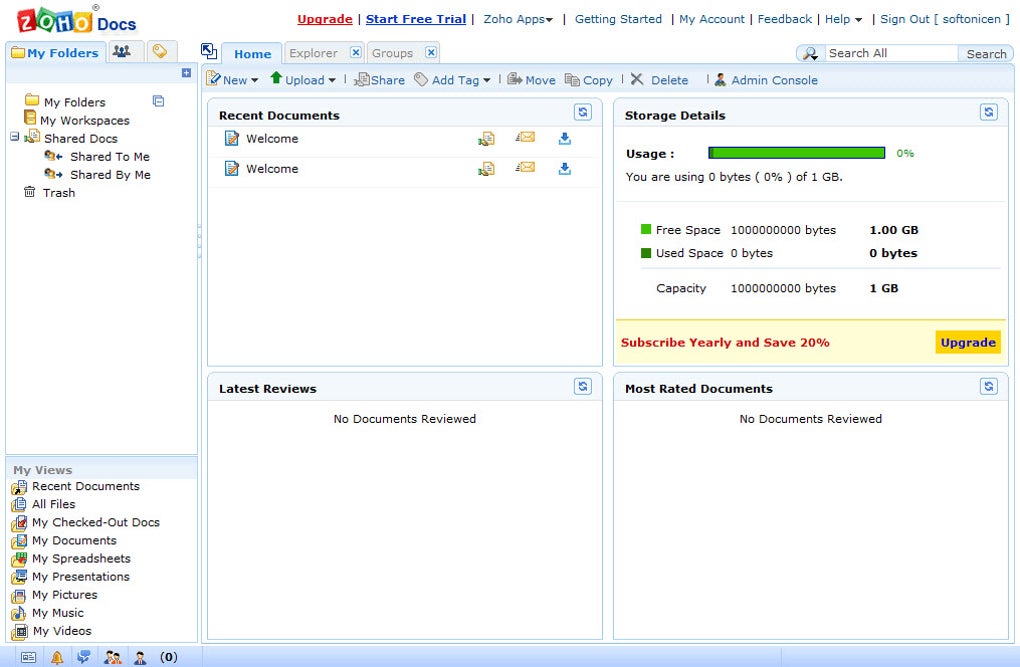
Zoho Docs is an all‑in‑one online productivity suite that brings together a word processor, spreadsheet tool, and presentation editor under a single, browser‑based interface. Think of it as a cloud‑native alternative to Microsoft Word, Excel, and PowerPoint, but without the need for heavyweight desktop installations. With a free tier that offers 1 GB of storage and paid plans starting at $3 per month for 5 GB, Zoho Docs caters to freelancers, small teams, and larger enterprises alike.
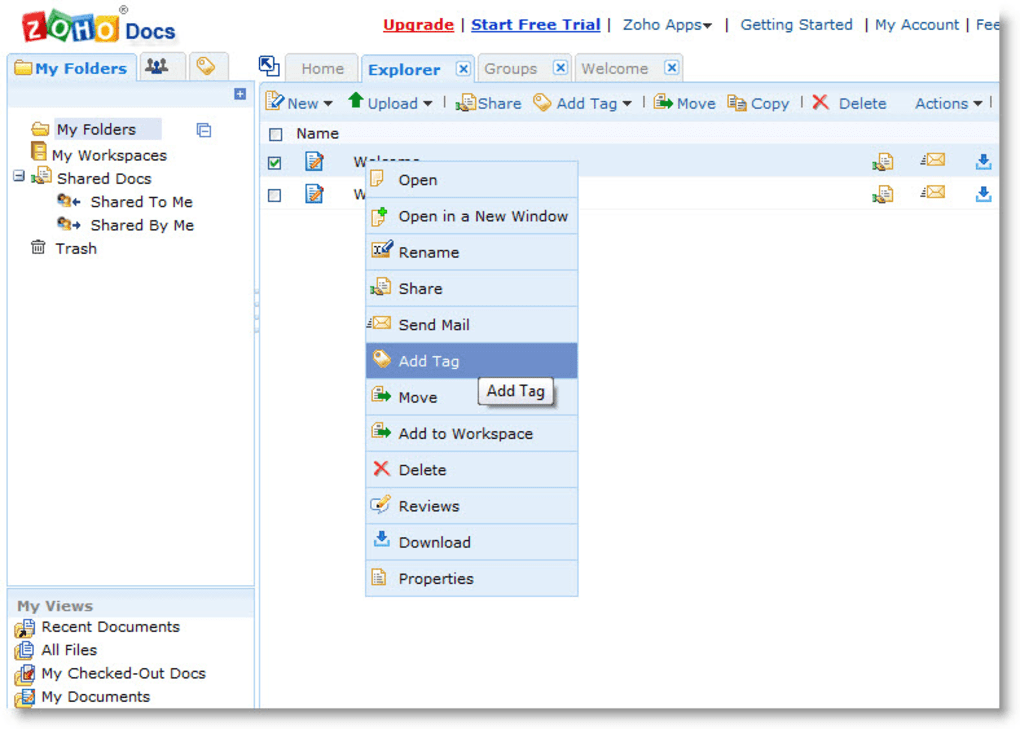
Because the entire platform lives in the browser, you can create, edit, and share documents from any computer or mobile device that has an internet connection. The learning curve is virtually non‑existent for anyone familiar with traditional office apps, and the clean, modern UI makes navigation intuitive. Users can organize files in hierarchical folders, tag them for quick retrieval, and collaborate in real time by sharing links or sending documents directly via email from within the app.
While Zoho Docs may not dominate headlines like Google Workspace or Microsoft 365, it delivers a robust feature set, reliable uptime, and strong data‑privacy controls that make it a competitive choice for anyone looking for a secure, flexible, and affordable online office solution.
Key Features and Functionalities
- Full‑Featured Word Processor – Rich text editing, styles, tables, track changes, and built‑in grammar suggestions.
- Powerful Spreadsheet Engine – Formula library, pivot tables, data validation, and conditional formatting.
- Dynamic Presentation Builder – Slide templates, animations, and multimedia embedding.
- Real‑Time Collaboration – Multiple users can edit the same document simultaneously with live cursors and chat.
- Folder & Tag Management – Organize files hierarchically, apply custom tags, and use advanced search filters.
- Version History & Restore – Automatic snapshots of every change, allowing you to revert to earlier versions.
- Secure Sharing Options – Share via email, link with expiration dates, or set view‑only, comment‑only, and edit permissions.
- Offline Access – Chrome extension lets you work offline and sync changes when you reconnect.
- Integrated Mobile Apps – Native iOS and Android apps for on‑the‑go editing and viewing.
- Third‑Party Integrations – Connect with Zoho CRM, Zoho Projects, Google Drive, Dropbox, and more.
Installation, Setup, and Daily Usage
Getting Started – Account Creation & Initial Setup
To begin using Zoho Docs, visit the official website and click “Sign Up for Free.” You’ll be prompted to provide an email address and create a password, or you can use a Google or Microsoft account for single sign‑on. After confirming your email, you’ll land on the dashboard where the free 1 GB storage allocation is already provisioned. If you anticipate needing more space or advanced admin controls, navigate to the “Upgrade” tab and select a plan that matches your requirements.
Browser‑Based Installation
Because Zoho Docs is a cloud application, there is no traditional installation process for Windows, macOS, or Linux. All you need is a modern browser (Chrome, Firefox, Edge, or Safari) with JavaScript enabled. For power users who prefer desktop shortcuts, you can create a Progressive Web App (PWA) by clicking the browser’s “Install” button (available in Chrome and Edge). This creates a standalone window that behaves like a native app while still running entirely online.
Mobile App Deployment
For iOS and Android devices, download the Zoho Docs app from the App Store or Google Play. After installing, log in with the same credentials you used for the web version. The mobile app syncs automatically with your cloud storage, enabling you to open, edit, and share documents offline. Once you reconnect to the internet, changes are uploaded and merged without any manual intervention.
Daily Workflow Tips
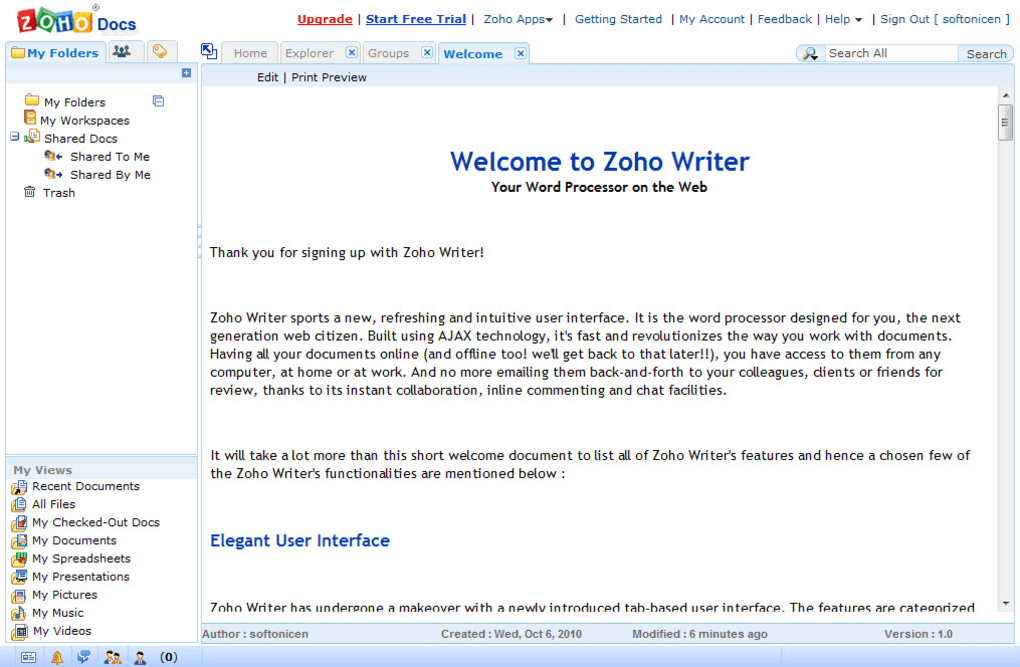
When creating a new document, use the “New” dropdown to choose between a text file, spreadsheet, or presentation. The interface mirrors classic office suites: a top toolbar for formatting, a left‑hand pane for navigation, and a right‑hand sidebar for comments and version history. To collaborate, click the “Share” button, enter email addresses, and assign permission levels. For teams that need structured project folders, create a top‑level directory for each project and use tags like “draft,” “approved,” or “client‑review” to keep files organized. Finally, take advantage of the built‑in “Export” options to download files as DOCX, XLSX, PPTX, PDF, or ODT formats for offline distribution.
Compatibility, Pros & Cons
Zoho Docs runs on any device with a modern web browser, making it compatible with Windows 10/11, macOS, Linux, Chrome OS, iOS, and Android. The platform also supports popular browsers such as Google Chrome, Mozilla Firefox, Microsoft Edge, and Apple Safari. Because it is cloud‑first, there are no OS‑specific binaries to install, and the mobile apps are available for both iOS 15+ and Android 8.0+.
Pros
- Fully web‑based – no software to install or maintain.
- Generous free tier with 1 GB storage and unlimited document creation.
- Real‑time collaboration with granular permission controls.
- Robust version history and easy document recovery.
- Integrated mobile apps for iOS and Android.
- Strong data encryption in transit (TLS) and at rest (AES‑256).
- Seamless integration with other Zoho applications and third‑party services.
- Affordable paid plans starting at $3/month.
Cons
- Feature set, while solid, lacks some advanced formatting options found in Microsoft Office.
- Offline editing is limited to the Chrome extension or PWA; full offline mode is not native.
- Export fidelity can vary slightly when converting complex spreadsheets.
- Interface may feel less polished compared to Google Workspace’s material design.
- Customer support response times can be slower on the free tier.
Overall Rating: 4 out of 5 stars – Zoho Docs offers a reliable, secure, and affordable cloud office suite that meets the needs of most small‑to‑medium teams.
Frequently Asked Questions
Is Zoho Docs really free, and what does the free plan include?
Yes, Zoho Docs offers a free tier that provides 1 GB of cloud storage, unlimited document creation, and access to the core word processor, spreadsheet, and presentation tools. The free plan also includes basic collaboration features and mobile app access.
Can I use Zoho Docs offline?
Offline support is available through the Chrome extension or by installing Zoho Docs as a Progressive Web App (PWA). Changes made while offline are synced automatically once you reconnect to the internet.
How secure is my data on Zoho Docs?
Zoho Docs encrypts data in transit using TLS 1.2+ and at rest with AES‑256 encryption. Additionally, Zoho follows ISO 27001 and SOC 2 compliance standards, providing enterprise‑grade security for all documents.
What file formats can I import and export?
Zoho Docs supports importing and exporting DOCX, XLSX, PPTX, PDF, ODT, CSV, and plain‑text formats. You can also export to HTML or open files directly from Google Drive, Dropbox, and OneDrive.
Does Zoho Docs integrate with other Zoho apps?
Absolutely. Zoho Docs integrates seamlessly with Zoho CRM, Zoho Projects, Zoho Desk, and the broader Zoho ecosystem, allowing you to attach documents to records, automate workflows, and manage approvals without leaving the platform.
Conclusion & Call to Action
Zoho Docs stands out as a secure, cost‑effective alternative to the big‑brand cloud office suites. Its straightforward interface, real‑time collaboration tools, and generous free tier make it an ideal choice for freelancers, startups, and small businesses that need reliable document creation without the overhead of expensive licenses. While power users may miss a few advanced features found in Microsoft Office, the trade‑off of lower cost, strong security, and cross‑platform accessibility is more than compelling for most everyday scenarios.
Ready to boost your productivity with a cloud‑based office suite that respects your budget and privacy? Download Zoho Docs now, create your free account, and start collaborating instantly. If you need more storage or advanced admin controls, upgrade to a paid plan at any time—no contracts, no hidden fees.



.png)



